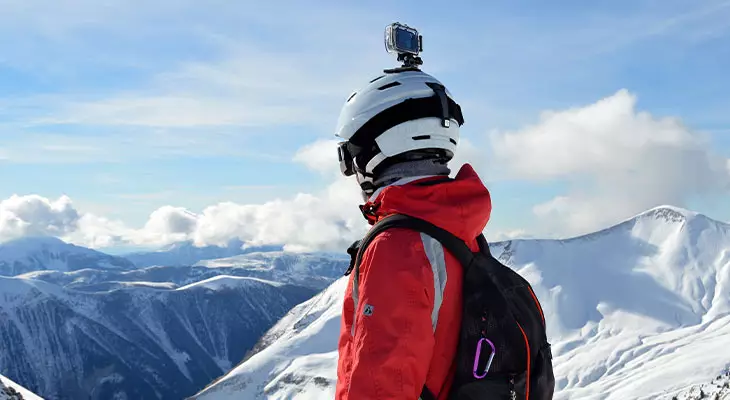
Are you heading to the mountains soon and want to film your exploits with a GoPro? Here’s everything you need to know about your action camera to capture memorable moments from your ski trip.
How do you take care of your GoPro for skiing? What are the essential accessories for maintaining and using your GoPro to bring along in your bag this winter? Here’s more information and our tips to properly equip yourself for skiing and capture amazing footage!
Step 1: Check your ski GoPro
Just like filming while diving, paragliding, or canyoning, the first thing to do before hitting the slopes on skis or a snowboard is to ensure you have a clean and functional camera.
Cleaning the camera
To clean a ski GoPro lens, disassemble the housing and place it in a bowl of cold water. To remove the rear door seal, press on both sides.
After 10 minutes, remove the rear door from the bowl and use a cotton swab to absorb water and clean it. Do the same for the rear door seal and housing. Use a towel to dry each part. If there are still drops in the small crevices, using a hairdryer at a safe distance will fully dry the housing. Make sure to reinstall the seal in the correct orientation to prevent moisture from entering and damaging your GoPro (which is highly likely given the snow and low temperatures common in mountain sports).
Gently use a microfiber cloth on the lens and camera screen before placing it back into the housing.
Store your equipment in a dry place, away from direct sunlight, to protect it from external damage.
Checking main functions and accessories
Once your GoPro is clean, check that everything works correctly. Perform this check before leaving so you can fix any issues. Run a few tests: does recording work properly? Is the video quality good? Is the battery life still sufficient?
At the resort, take a moment every hour to check that you have enough battery, that the framing is correct, and that the camera is securely mounted. Otherwise, you may end the day disappointed—missing high-quality photos or videos of your best freeride runs or snowboard tricks!
Essential accessories for using your GoPro at the ski slopes
Beyond the camera itself, many accessories are indispensable for optimal GoPro use, adapted to skiing and safely capturing your experience. If you haven’t purchased them yet, here are our recommended products for a complete photo/video setup!
Batteries
Bring an extra battery, as cold temperatures significantly reduce battery life. Also, take a convenient battery charger for your ski GoPro to recharge and never run out of power.
Hydrophobic lens film
This protective adhesive film prevents water and snow from smearing the lens and blurring your footage (except for GoPro Hero 10 or Hero Black 11, which come with a standard hydrophobic lens).
A secure mount
Your GoPro is charged and ready to use. But if you don’t use a proper mount and don’t test it before hitting the slopes or powder fields, your videos may be poorly framed.
There are several accessories to stabilize your ski GoPro; choose the one that suits you best.
You can mount your camera on helmet mounts. Flexible extension arms allow you to find the best viewing angle. You can also use a handheld stabilizer stick.
A chest harness is very practical, though your arms may appear in the video.
There are also strap mounts (useful with a backpack), suction cup mounts for attaching the GoPro to skis or snowboard.
Another option is a tripod, perfect for burst photography.
So many possibilities exist depending on the content you want to create and the gear you bring.
GoPro ski remote
This allows you to take photos or start recording without removing your gloves, as there is only a single large button to press. Recording is simple and convenient!
Anti-fog inserts
The GoPro housing can experience rapid temperature changes (e.g., moving from a heated apartment to the ski slopes), which can create fog inside the waterproof case, compromising video quality. To prevent this, use a GoPro waterproof case anti-fog insert before each session. It protects against moisture and fog.
Polarizing filter
A polarizing filter eliminates sunlight glare on the snow surface. Colors appear more vivid, producing much higher-quality videos.
Memory card
Use a memory card with enough space to record everything you want during your ski trip.
Memory cards come in 32 GB, 64 GB, 128 GB, 256 GB, etc. The longer and higher the video resolution, the more space it will take. If the card is full, you can transfer files to a laptop, provided you bring it along.